Vendors
Overview
The Vendors module provides a centralized directory for managing suppliers and service providers associated with asset procurement, warranties, and maintenance.
Asset Management → Vendors
Vendors Page
The Vendors page lists all registered vendors with their key contact details. Each record displays:
| Column | Description |
|---|---|
| Vendor Name | Name of the supplier or service provider |
| Contact Name | Primary contact person at the vendor |
| Phone | Vendor contact number |
| Vendor email address | |
| Address | Business address |
| Website | Vendor website URL |
| Notes | Additional notes or remarks |
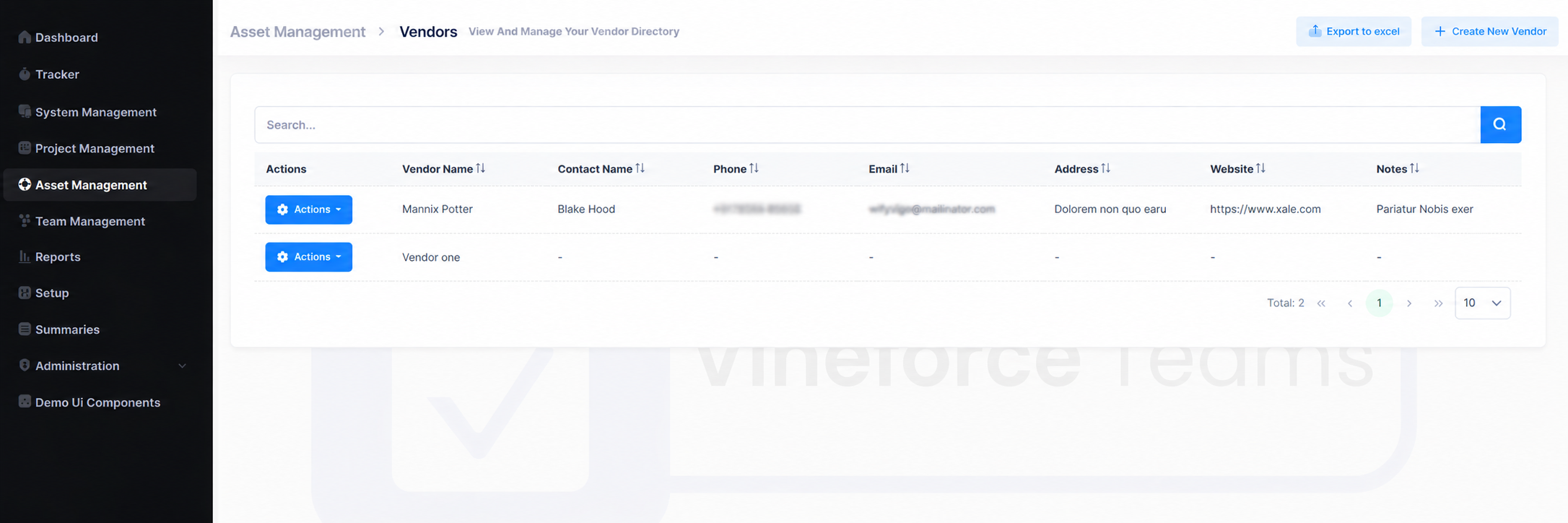
A search bar is available to filter vendors by name, and pagination controls help navigate through records. The list can be exported to Excel using the Export to Excel button.
Create a Vendor
- Navigate to
Asset Management → Vendors. - Click + Create New Vendor.
- Fill in the required fields and click Save.
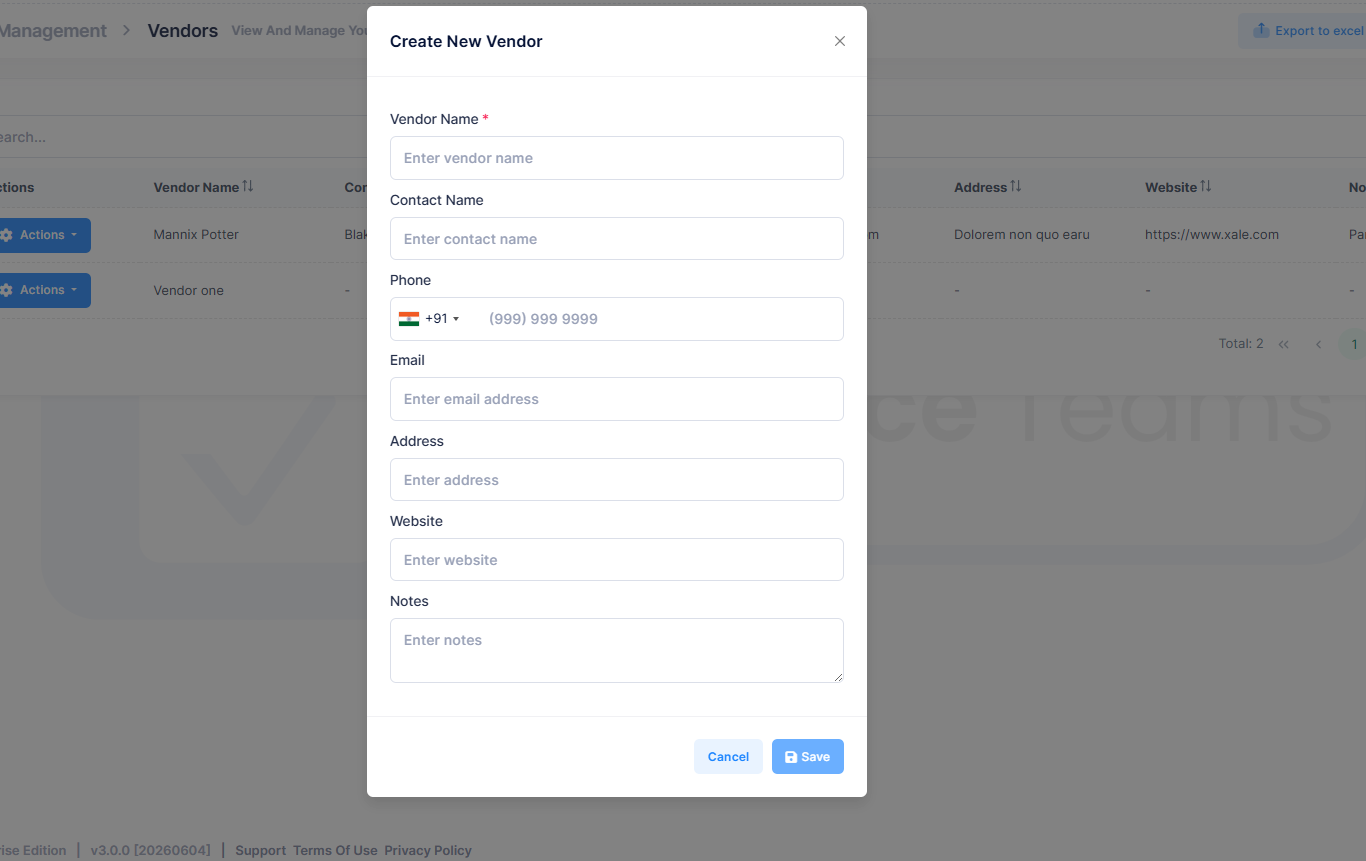
| Field | Description |
|---|---|
| Vendor Name | Name of the vendor (required) |
| Contact Name | Primary contact person |
| Phone | Contact number with country code |
| Vendor email address | |
| Address | Business address |
| Website | Vendor website URL |
| Notes | Any additional information |
Actions Menu
Each vendor has an Actions button with the following options:
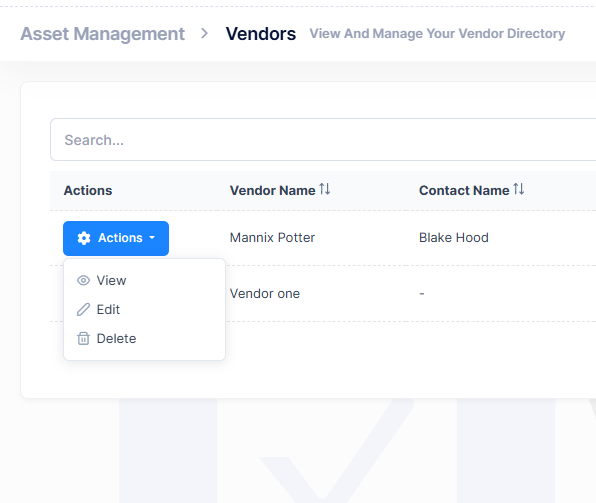
| Action | Description |
|---|---|
| View | Open vendor details in read-only mode |
| Edit | Modify vendor information |
| Delete | Permanently remove the vendor record |
note
Avoid deleting vendors linked to existing assets. Update their details or retain records for reference instead.
Best Practices
- Use consistent vendor naming conventions
- Keep contact details and addresses up to date
- Retain vendor records even after procurement ends, for warranty and maintenance reference