Maintenance
Overview
The Maintenance module allows organizations to plan, record, and track maintenance activities for assets — including repairs, inspections, and servicing. It helps ensure assets remain in good working condition and that all service history is accurately recorded.
Asset Management → Maintenance
Maintenance Page
The Maintenance page lists all maintenance records across assets. Each record displays:
| Column | Description |
|---|---|
| Asset Name | The asset associated with the maintenance activity |
| Vendor Name | Vendor or service provider performing the maintenance |
| Status | Current maintenance status (e.g. Repair) |
| Maintenance Date | Date the maintenance was performed |
| Cost | Cost of the maintenance activity |
| Next Due Date | Scheduled date for the next maintenance |
| Description | Additional details about the activity |
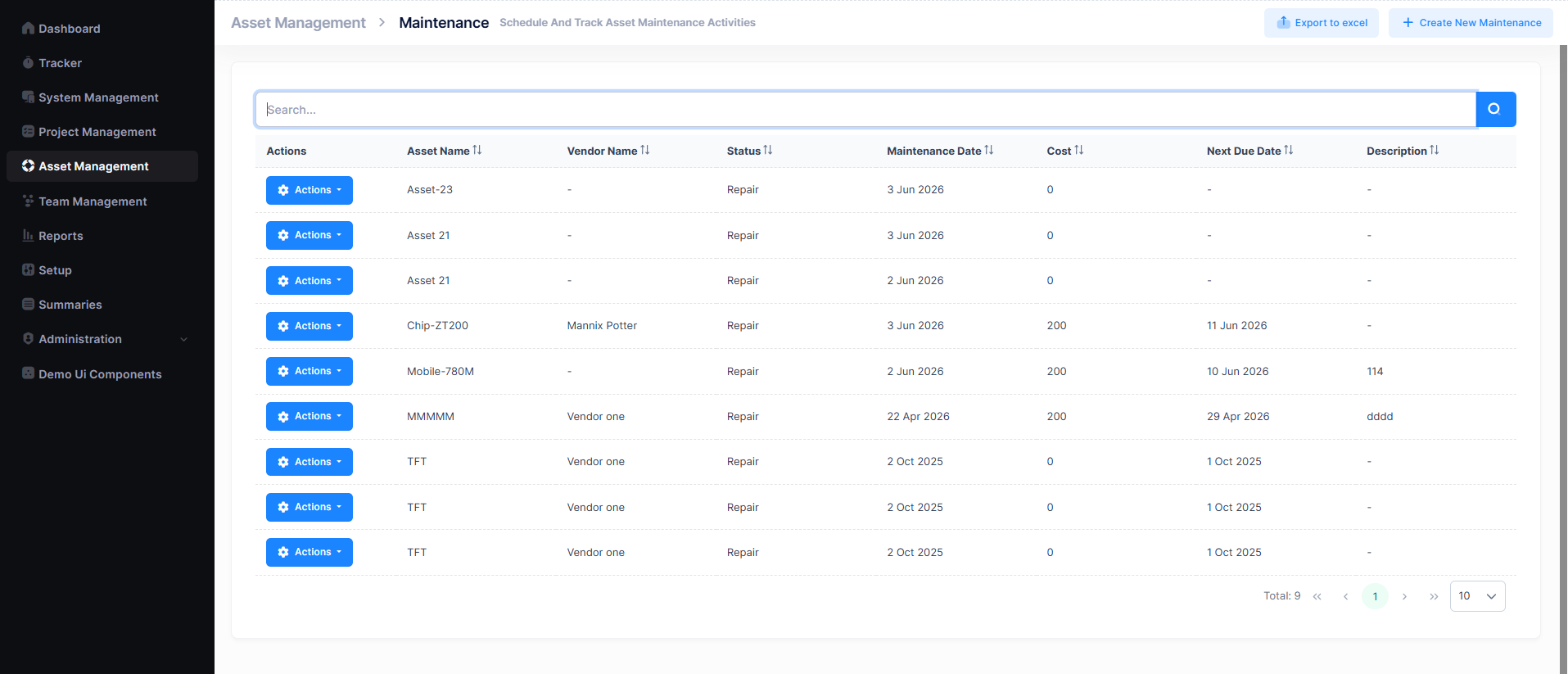
A search bar is available to filter records, and pagination controls help navigate through entries. Records can be exported using the Export to Excel button.
Create a Maintenance Record
- Navigate to
Asset Management → Maintenance. - Click + Create New Maintenance.
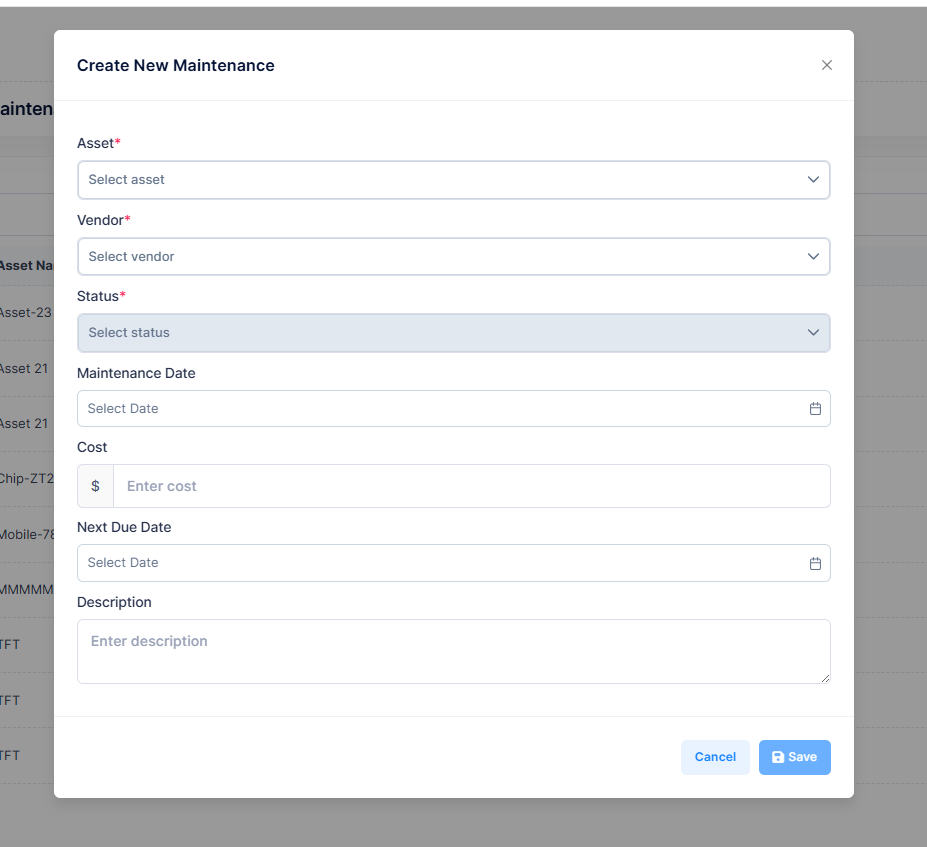
- Fill in the required fields and click Save.
| Field | Description |
|---|---|
| Asset | Asset requiring maintenance (required) |
| Vendor | Vendor or service provider (required) |
| Status | Current status of the maintenance (required) |
| Maintenance Date | Date the maintenance is being performed |
| Cost | Cost of the maintenance activity |
| Next Due Date | Planned date for the next maintenance |
| Description | Details of the maintenance work |
Actions Menu
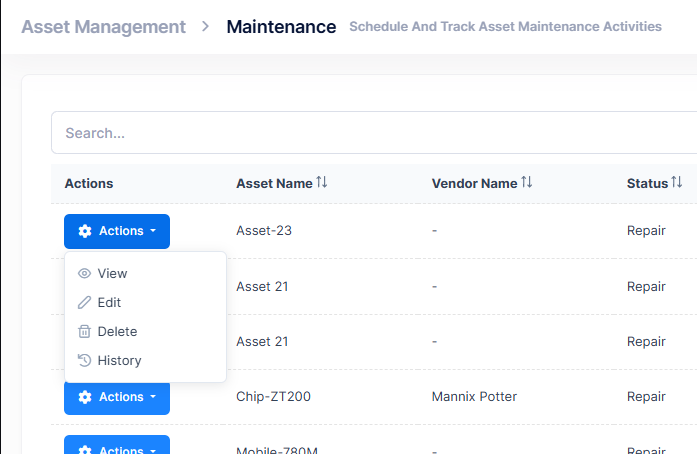
Each maintenance record has an Actions button with the following options:
| Action | Description |
|---|---|
| View | Open the maintenance record in read-only mode |
| Edit | Modify the maintenance record details |
| Delete | Permanently remove the maintenance record |
| History | View the change history of the maintenance record |
Best Practices
- Record maintenance activities promptly after completion
- Set a Next Due Date to stay on top of recurring maintenance
- Always link a vendor where an external service provider is involved
- Review overdue maintenance records regularly