Loss, Theft & Damage
Overview
The Loss, Theft & Damage module provides a centralized place to report and track incidents involving lost, stolen, or damaged assets. It ensures accurate asset status records and maintains a full audit trail of all reported incidents.
Asset Management → Loss Theft Damages
Loss Theft Damages Page
The page lists all reported incidents across assets. Each record displays:
| Column | Description |
|---|---|
| Asset Name | The asset involved in the incident |
| Reported By | Employee who reported the incident |
| Reported Date | Date the incident was reported |
| Incident Type | Type of incident — Damage, Lost, or Theft |
| Resolution | Resolution details if the incident has been resolved |
| Description | Additional details about the incident |
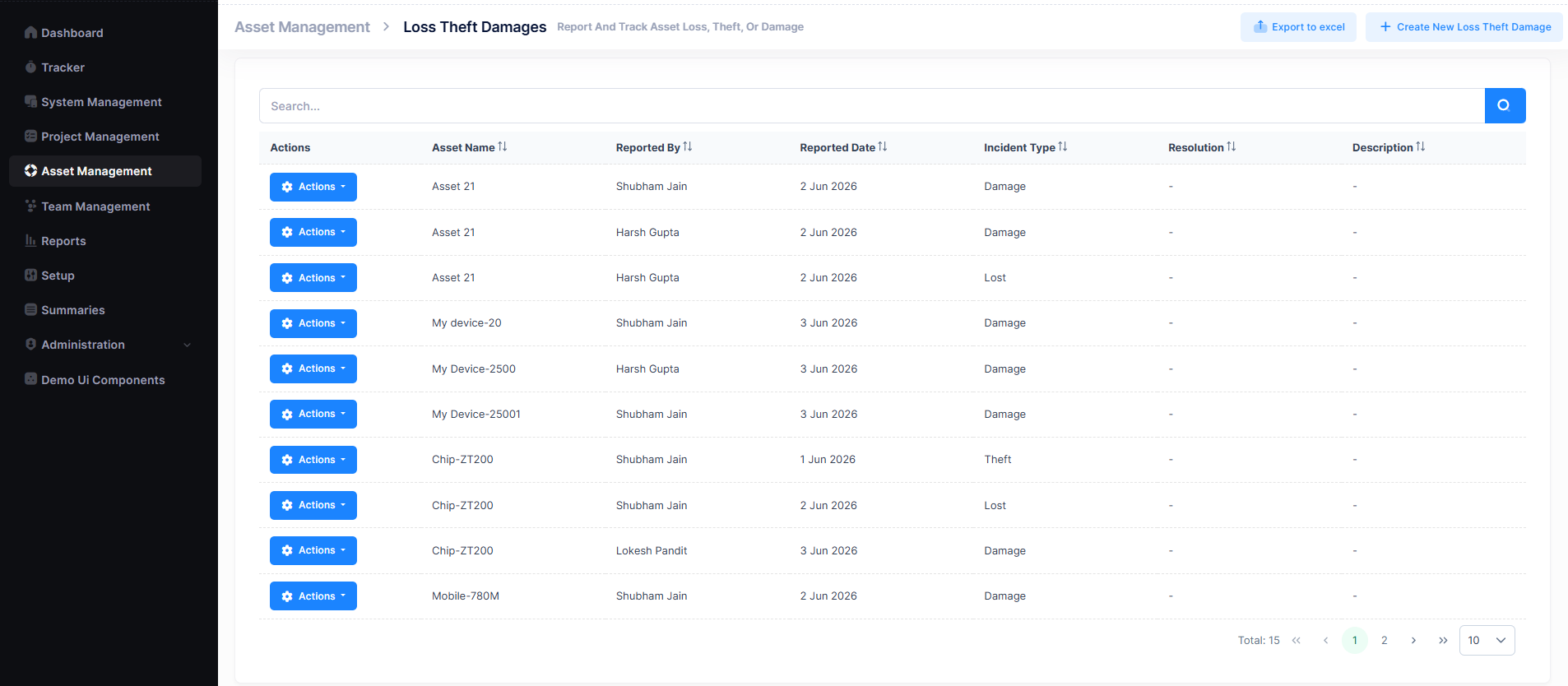
A search bar is available to filter records, and pagination controls help navigate through entries. Records can be exported using the Export to Excel button.
Create a New Incident Record
- Navigate to
Asset Management → Loss Theft Damages. - Click + Create New Loss Theft Damage.
- Fill in the required fields and click Save.
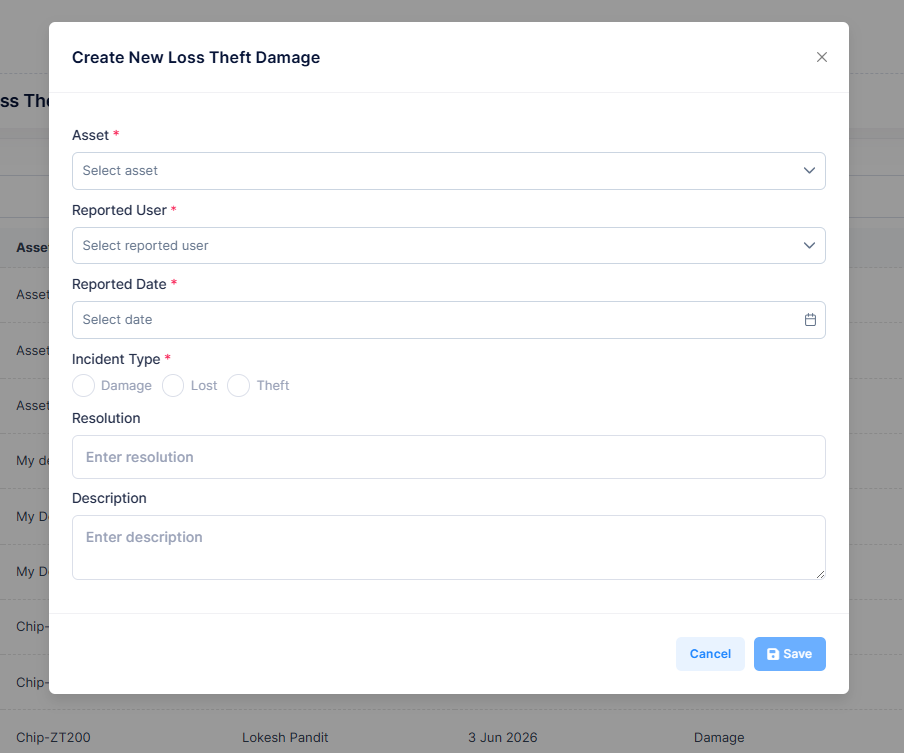
| Field | Description |
|---|---|
| Asset | The affected asset (required) |
| Reported User | Employee reporting the incident (required) |
| Reported Date | Date the incident is being reported (required) |
| Incident Type | Loss, Theft, or Damage (required) |
| Resolution | Resolution details or corrective action taken |
| Description | Full description of the incident |
Actions Menu
Each incident record has an Actions button with the following options:
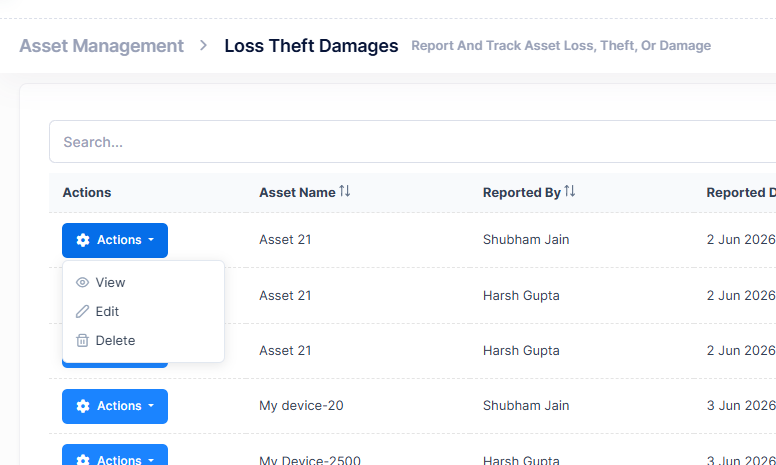
| Action | Description |
|---|---|
| View | Open the incident record in read-only mode |
| Edit | Modify the incident details |
| Delete | Permanently remove the incident record |
Incident Types
| Type | Description |
|---|---|
| Loss | Asset cannot be located and its whereabouts are unknown |
| Theft | Asset has been stolen or is suspected to have been taken without authorization |
| Damage | Asset has sustained physical or functional damage |
Best Practices
- Report incidents as soon as they are discovered
- Always select the correct Incident Type for accurate tracking
- Add a Resolution once the incident has been addressed
- Review open incidents regularly to ensure timely follow-up