Asset History
Overview
The Asset History module provides a complete audit trail of all activities performed on assets throughout their lifecycle — including assignments, transfers, status changes, assembly events, and more.
Asset Management → Asset History
Asset History Page
The Asset History page displays a chronological log of all asset-related events across the organization. Each record shows:
- Asset Name — The asset involved in the event
- From User — The user the asset was transferred or actioned from
- To User — The user the asset was transferred or actioned to
- From Office — The source office or location
- To Office — The destination office or location
- Event Date — Date the activity occurred
- Event Type — Type of event (e.g. Assigned, Assembled, Lost, Repair, Damage)
- Details — A brief summary of the event
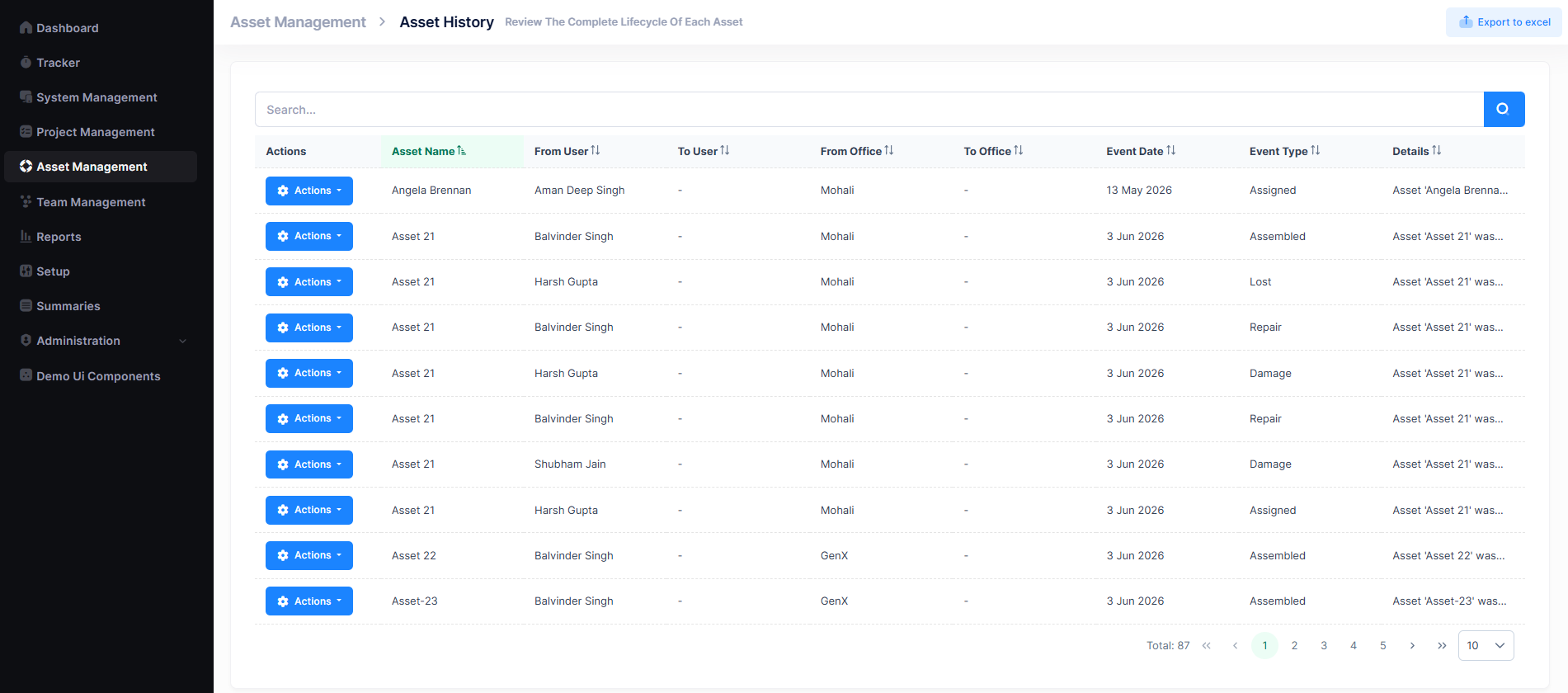
A search bar is available to filter records, and pagination controls help navigate through all entries. Records can also be exported to Excel using the Export to Excel button in the top-right corner.
Event Types
The following event types are tracked in Asset History:
| Event Type | Description |
|---|---|
| Assembled | Asset was created and built from components |
| Assigned | Asset was allocated to an employee |
| Repair | Asset was sent for repair or servicing |
| Damage | Asset was reported as damaged |
| Lost | Asset was reported as lost |
| Theft | Asset was reported as stolen |
| Return | Asset was returned from an employee |
Actions Menu
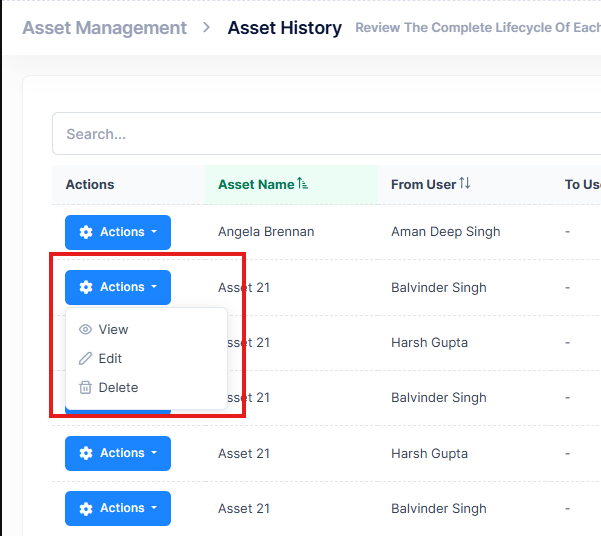
Each history record has an Actions button with the following options:
| Action | Description |
|---|---|
| View | Open the history record in read-only mode |
| Edit | Modify the history record details |
| Delete | Permanently remove the history record |