Feature Settings
Overview
The Feature tab under Settings is used to configure cloud storage integration and document retention policies for the application.
Navigation
Administration → Settings → Feature
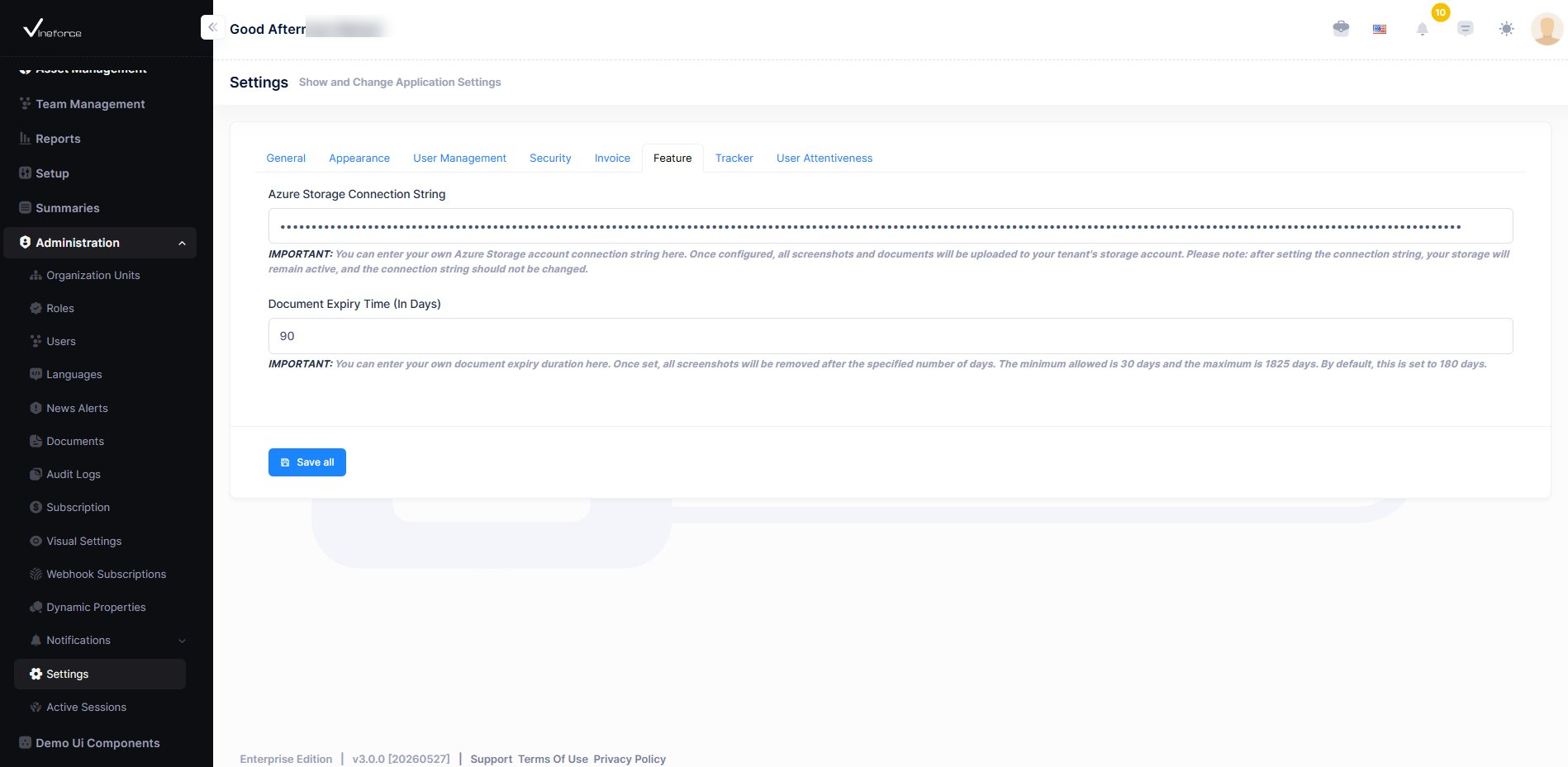
Azure Storage Connection String
Connects the application to Azure cloud storage for securely saving screenshots and uploaded documents.
Purpose
- Provides centralized cloud storage management via Azure Blob Storage
- Stores screenshots and uploaded documents automatically
- Supports application-wide file storage
Important Notes
Caution: The connection string should be configured carefully. Frequent changes to storage configuration are not recommended, as they may disrupt active file access.
Document Expiry Time (In Days)
Sets the number of days after which screenshots and uploaded documents are automatically purged from storage.
Purpose
- Automates cleanup to reduce unnecessary storage usage over time
- Files older than the configured threshold are deleted automatically
- Helps maintain efficient and manageable storage
Common Values
| Value | Use Case |
|---|---|
| 30 days | Short-term retention for active projects |
| 90 days | Standard retention for most teams |
| 180 days | Long-term retention for compliance or audit needs |
Saving Settings
After updating the required configurations:
- Click Save All
- The updated settings will be applied successfully across the application