Audit Logs
Overview
The Audit Logs module provides administrators with a detailed record of user activities and system changes within Vineforce Teams. Use it to review operations, investigate incidents, ensure accountability, and maintain compliance across your organization.
Administration → Audit Logs
Audit Logs Page
The Audit Logs module is divided into two sections, each serving a distinct monitoring purpose:
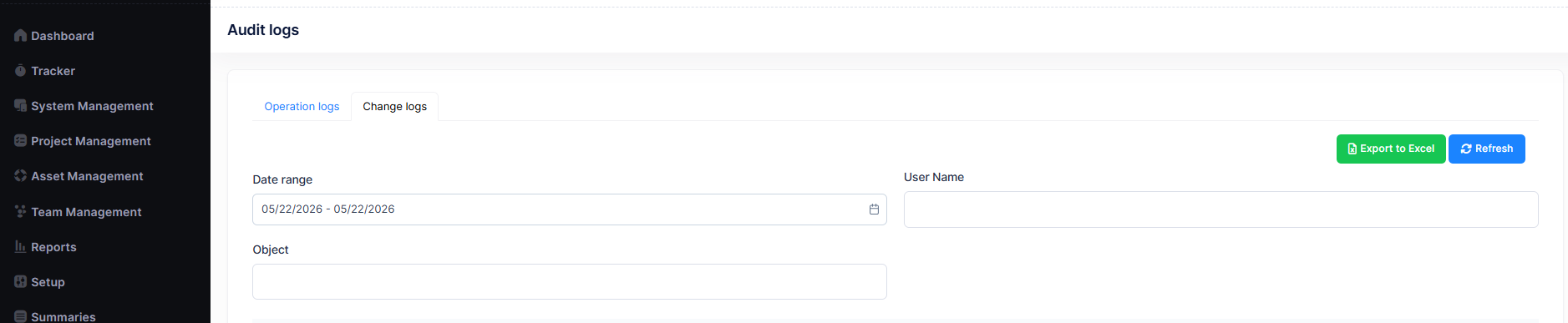
| Section | Purpose |
|---|---|
| Operation Logs | Tracks user operations and system/API activities |
| Change Logs | Tracks modifications made to system data and entities |
Available Features
- Date Range Filter
- User Name Filter
- Object Filter
- Export to Excel
- Refresh
Operation Logs
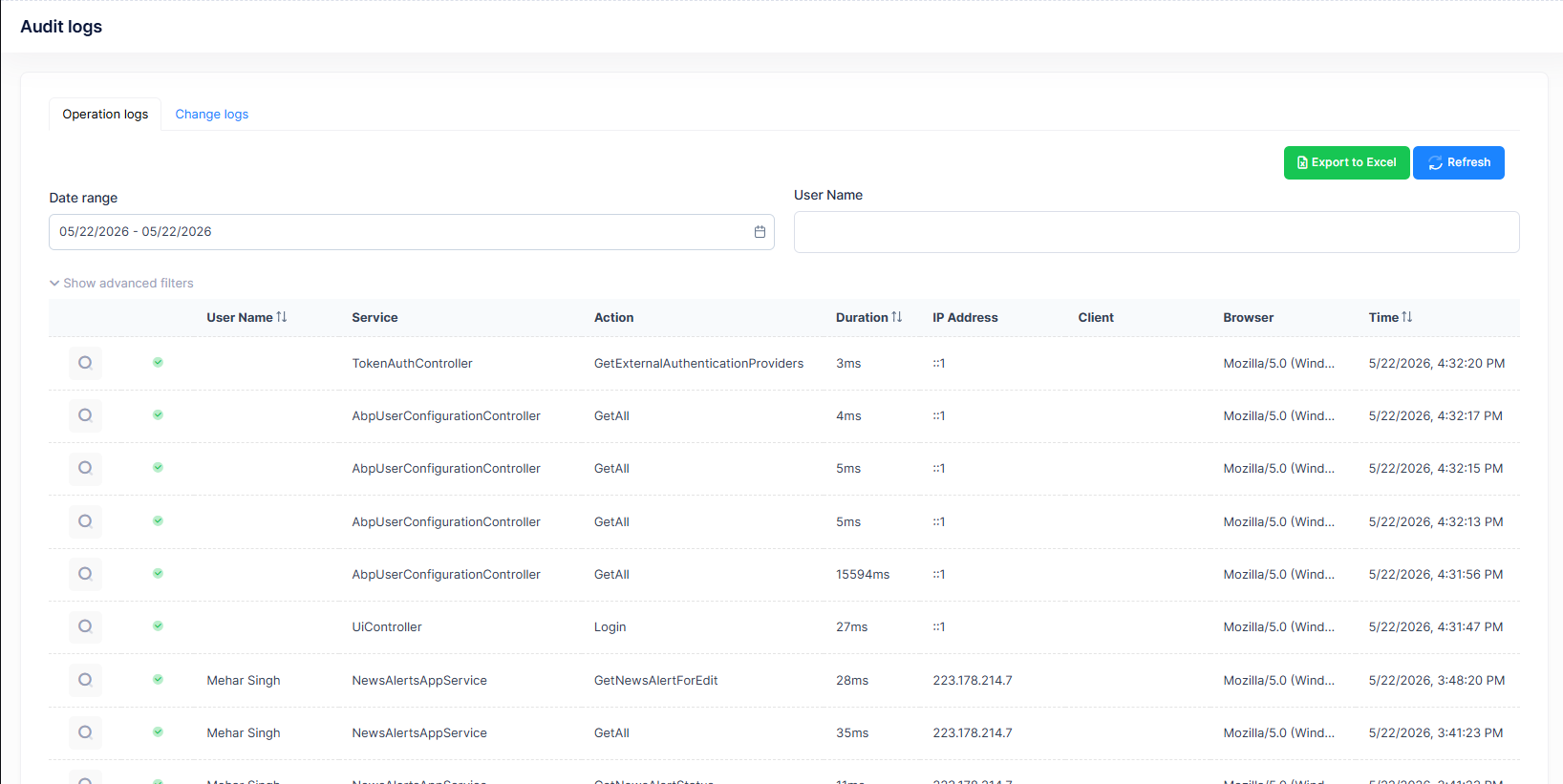
The Operation Logs section captures a real-time record of actions performed by users and backend services. This helps administrators monitor system usage patterns, detect unusual activity, and review the history of specific operations.
Information Displayed
| Column | Description |
|---|---|
| User Name | User who performed the action |
| Service | Backend or API service name |
| Action | Executed operation or method |
| Duration | Request execution time |
| IP Address | User IP address |
| Client | Browser or client details |
| Browser | Browser information |
| Time | Date and timestamp of activity |
Change Logs
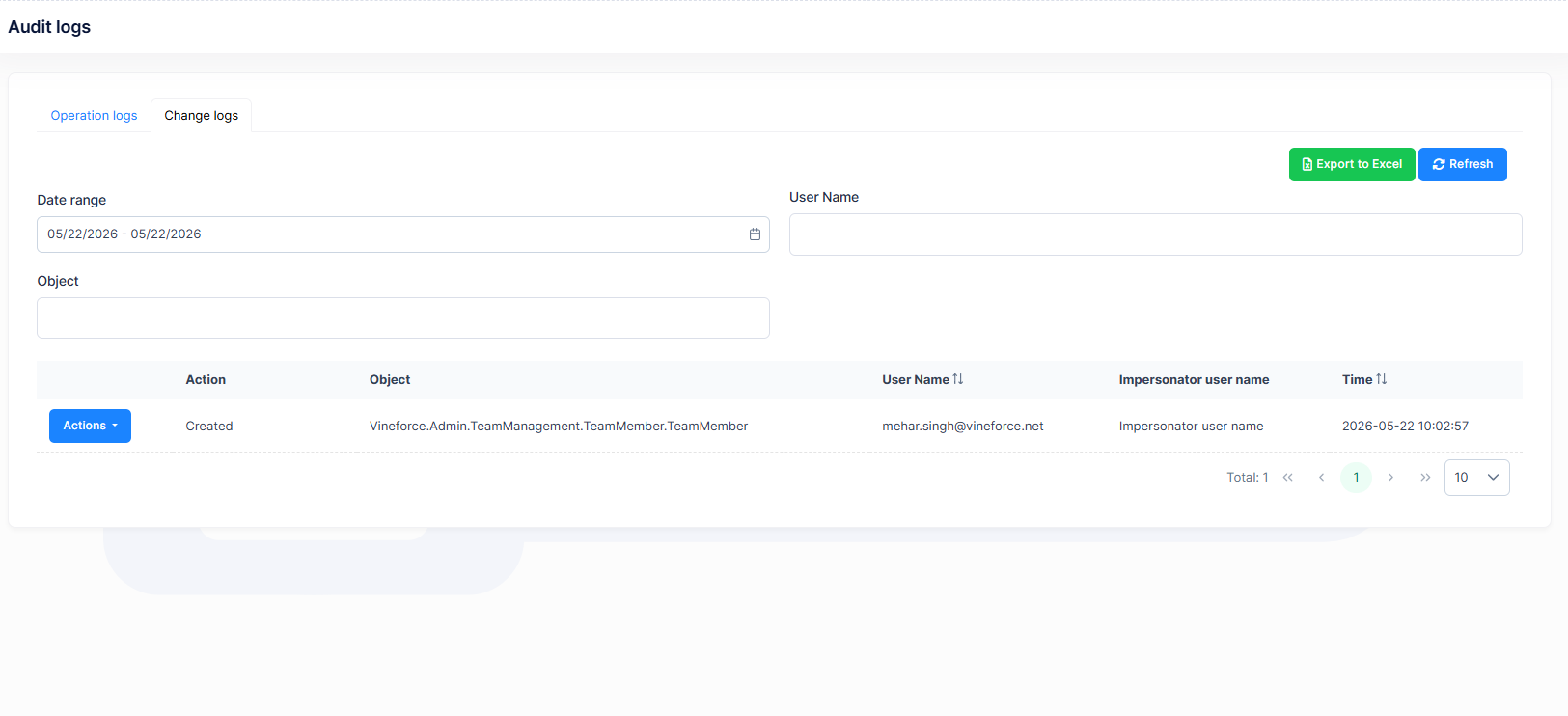
The Change Logs section maintains a detailed trail of all modifications made to system data and entities. This is particularly useful for auditing data integrity, identifying who changed what and when, and supporting compliance or investigation workflows.
Information Displayed
| Column | Description |
|---|---|
| Action | Performed activity |
| Object | Modified entity or object |
| User Name | User who made the change |
| Impersonator User Name | Acting or impersonated user (if applicable) |
| Time | Modification timestamp |
Next Steps
After reviewing Audit Logs:
- Use Operation Logs to investigate unexpected system behavior or user activity
- Use Change Logs to trace modifications when data discrepancies are reported
- Cross-reference logs with Roles & Permissions to ensure users have appropriate access levels